
1. After receiving your device, please download the Putting Speed App from the Apple App Store. We will start supporting the Android app soon.
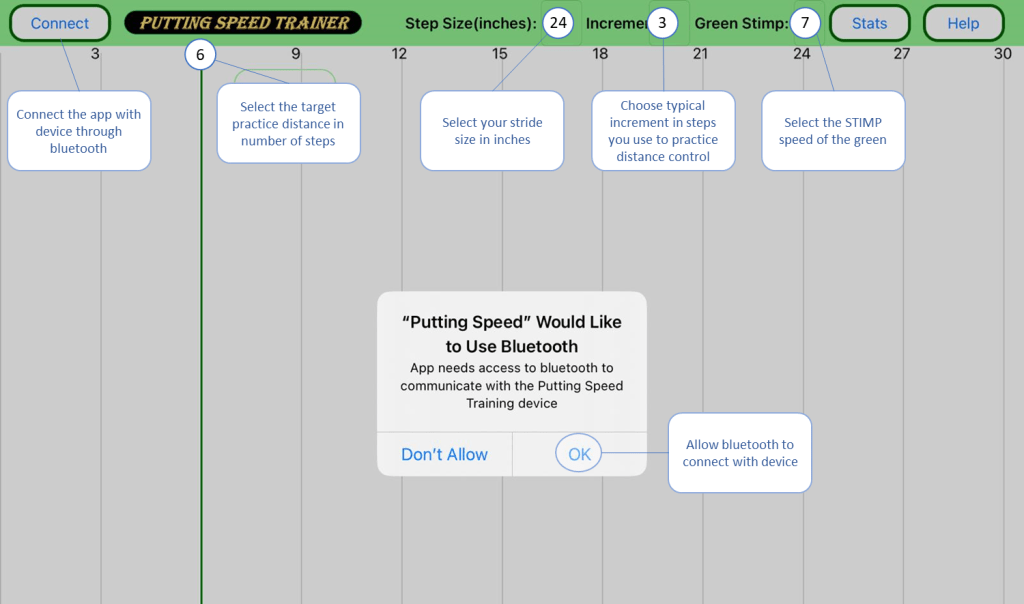
2. Open the PuttingSpeed app to select your preferences.
3. Put a 9-volt battery or connect the device to USB power (recommended).

4. Power on the device; the LED will start blinking rapidly. Click ‘Connect’ in the app to connect the device and the app.

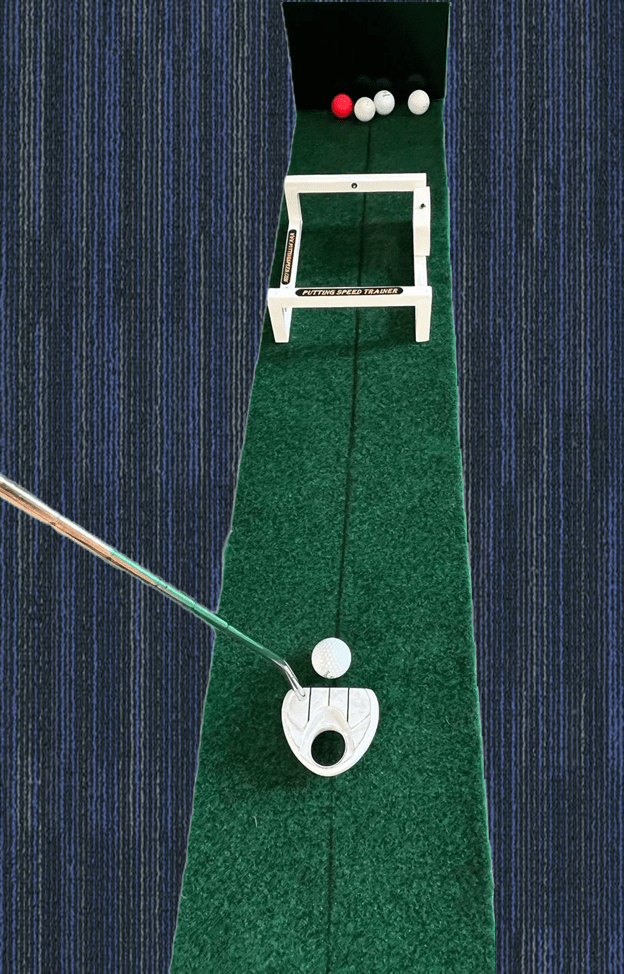
5. Setup the device on home putting practice mat with a solid board or pillow to stop the golf ball as shown in the picture below.
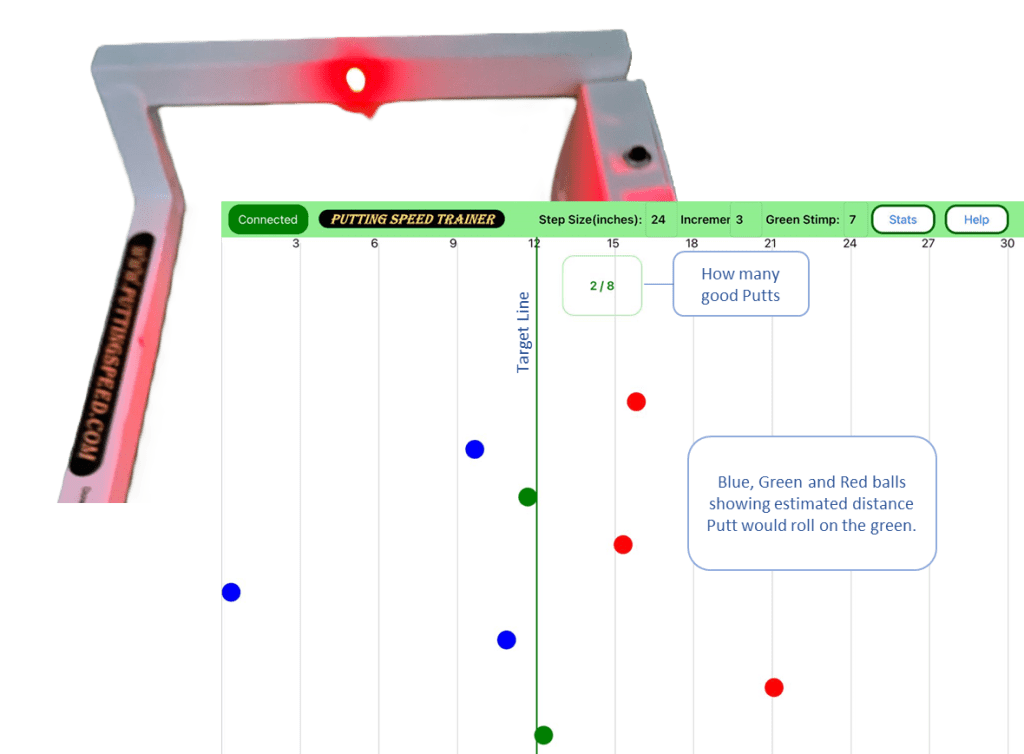
6. Select the target distance in the app, for example, 12 steps, by clicking on the gray line; it will change to green. Put the ball through the device. The LED on the device will show blue, green, or red, depending on whether the speed of the putt is too slow, correct, or too fast, respectively. The app will also display the estimated distance the putt would roll on a level putting green.
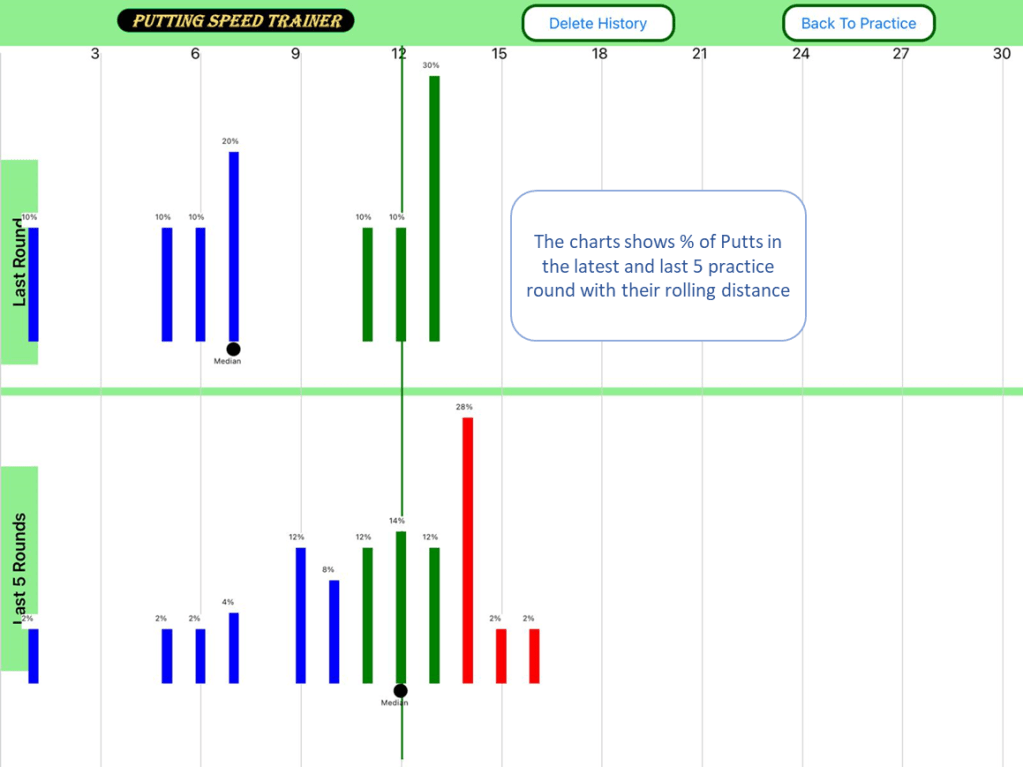
7. The stats section of the app displays the progress of putting distance practice, along with the median distance for each target distance. It also shows the percentage of strokes with slow or fast putts, enabling the player to make corrections in the next practice round.
 Golf Putting Speed Trainer For Home